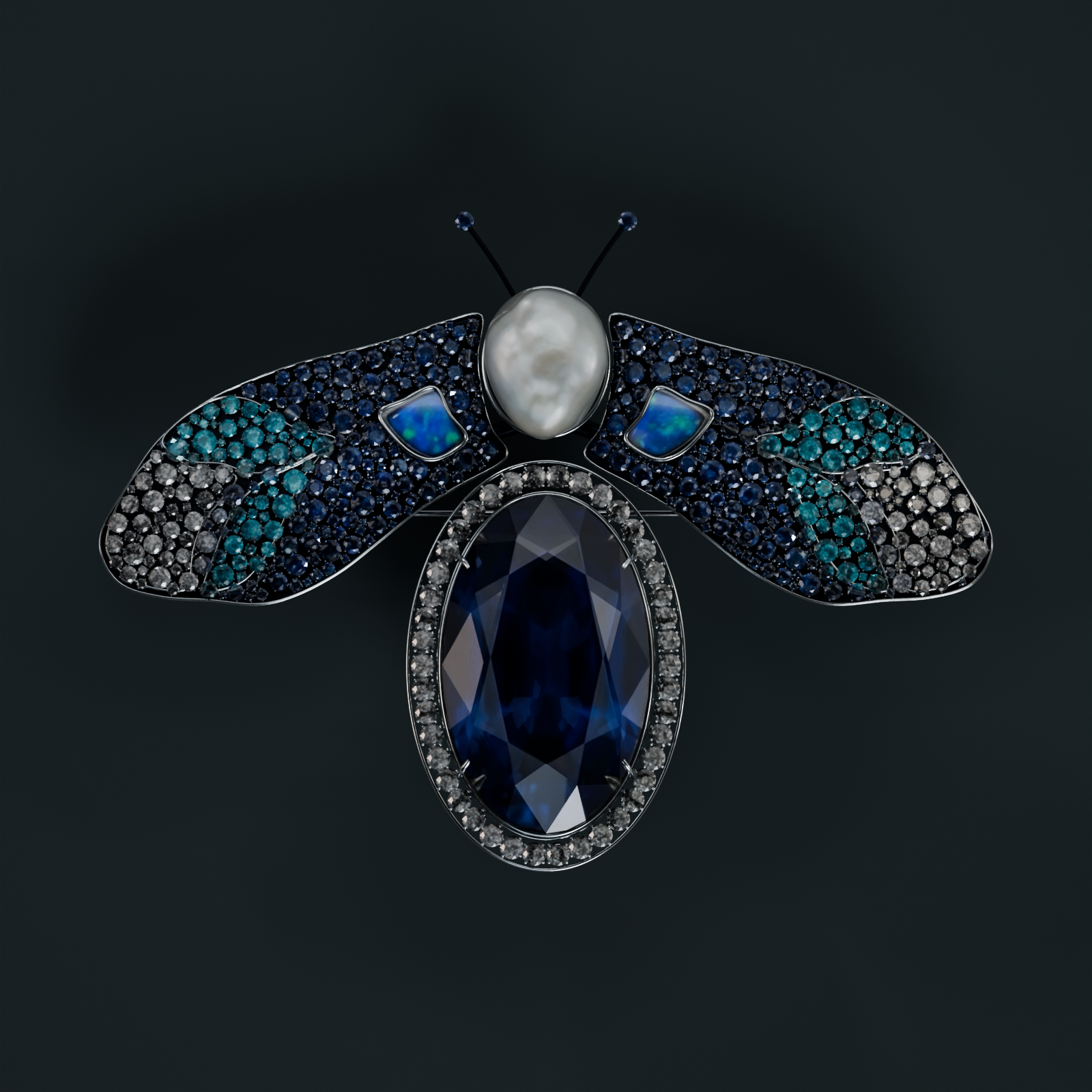
Compare the same brooch in motion, side by side. These are depth illusions on your screen; a true light-field display needs additional optics.
Preparing views…
Camera off
Camera frames stay on your device. Tap Start head tracking to request camera access.
Tracking off · Position not calibrated
Loading the original brooch (18 MB). The controls and research are ready below.
01
Motion parallax
A moving viewpoint
Look around the edges
The jewel stays still as the view shifts behind a fixed window. Drag here or move the shared slider.
No accessory neededStart head tracking above to use your camera.
Automatic motion simulates a viewer moving sideways.
02
Changing highlights
A moving light
Watch the facets catch light
The view stays fixed while studio lighting moves. This material cue is ordinary 3D shading, not a captured light field.
No accessory needed
Phone tilt or the slider controls the lighting angle.
03
Stereo pair
Left eye · Right eye
Two views, one for each eye
A parallel stereo pair. A compatible stereoscopic viewer separates the images; on a bare phone you see two views.
Viewer or red/cyan glasses needed
04
Reflection pyramid
Four rotated images
Give the image a place to float
Four copies reflect from a clear pyramid. The reflected images appear inside it; this is Pepper’s ghost, not volumetric holography.
Clear reflection pyramid needed
TRY IT IN YOUR ROOM
Place Primavera on your table.
On an iPhone, open this page in Safari and tap the image to launch Apple AR Quick Look. You still focus on the phone’s screen.
USDZ download: approximately 12 MB. On other devices, this link downloads the model.
WHAT THE PAPERS ACTUALLY SUPPORT
Depth cues are not a light-field display.
“Light field mimicry” is a useful informal description, not one established research method. A normal iPhone can change a rendered view with motion, shade materials, show stereo images, or drive an optical attachment. Software alone does not add independent focus planes to its screen.
PubMed and PubMed Central index or host research; they do not certify this demo. No eye position in physical units, accommodation, fatigue, or motion-to-photon latency is measured here. The frame counter reports browser animation intervals only. NeRF and Gaussian splatting are scene representations, not upgrades to a screen’s optical capabilities.