PRIMAVERA AR + SPATIAL WINDOWFour-way comparison ↗
TWO WAYS TO EXPLORE ONE PIECE

In your hands. Through a window.

On the left, drag to turn the piece, pinch to zoom, or place it in AR. On the right, see motion parallax and changing highlights together as you move your head.

Camera off

Camera starts only when you choose. Video and landmarks stay on this device; nothing is recorded or uploaded.

Tracking offPosition not calibrated
Manual controls & viewing tips

Start facing the screen in even light. Hold still briefly to set the center; use “Center here” after repositioning the phone. Move sideways rather than only turning your face. On iPhone, Safari is the recommended place to try the camera and AR link.

Loading the original brooch…

01

Interactive 3D + AR

Drag to spin · pinch or scroll to zoom

Turn it over. Bring it closer.

1.0×

Place in AR

Drag with one finger to rotate; use two fingers to zoom. On desktop, drag and use the scroll wheel. Open AR in iPhone Safari to move, rotate and resize the piece in your room.
02

Parallax + changing highlights

One viewpoint · fixed lights · both depth cues

A single, combined spatial view

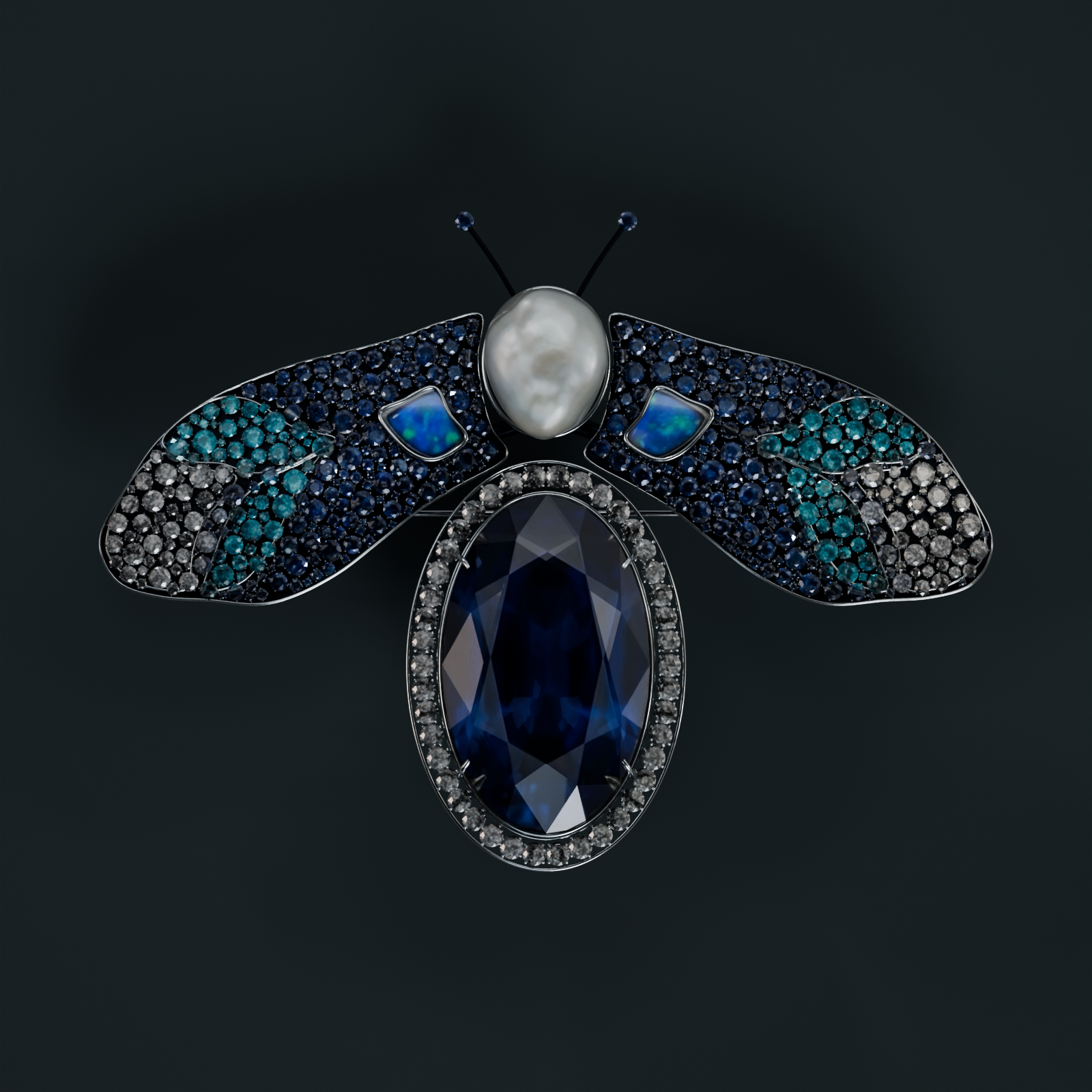
Move your head to see around the jewel and watch its reflections change at the same time. The window and lights stay fixed; one tracked camera creates both effects.

Use Start head tracking above, Play demo motion, or the manual viewpoint slider. No camera is needed for demo motion.

Preparing rendering…

TABLETOP PLACEMENT · REBUILT ASSET

Place the brooch on a surface.

This tabletop version is laid flat on the table (along the Z-plane), centered at its base with the gemstones facing up. Pinch in Quick Look to resize it.

  1. Open this page in Safari on your iPhone.
  2. Tap the image, then choose AR in Quick Look.
  3. Slowly scan a well-lit, textured tabletop, then place the brooch when the surface is detected. Twist with two fingers to rotate, or tap Object at the top to spin freely in 3D.

Orientations: Flat on table (default) · 45° showcase tilt · Upright stand

Download tabletop model
Open the tabletop version in AR Quick Look

What is being tracked?

MediaPipe locates eye landmarks using the front camera. Their midpoint and separation estimate relative head movement after centering. This is camera-based perspective, not TrueDepth, gaze tracking, or a measurement of viewing distance in meters. Turning your head can affect the distance estimate.

Moodwatch’s face-detection approach informed the choice of MediaPipe. This page uses a separate, local landmark tracker for position only.

Read the display research or the MediaPipe face-landmark documentation.